Measure Construction Drawings Online — Free Takeoff Tool
No licence key, no install, no trial that expires mid-job. Upload a drawing, calibrate the scale, and measure linear, area, volume and count quantities directly on it — free, and every drawing stays in your browser, never uploaded anywhere.
Open the Takeoff Tool — It's FreeHow it works
1. Upload your drawing
Drop in a PDF or image of your plan — kitchen layout, extension drawing, site plan, whatever you're quoting from.
2. Set the scale
Click two points on a known dimension, enter the real-world distance, and every measurement after that is calibrated automatically.
3. Measure & export
Trace linear runs, areas, volumes or count items directly on the drawing, then export a CSV or a marked-up copy for your records.
See it in action
A real drone photo of a driveway, measured start to finish — no mockups.
Watch the whole thing start to finish — upload, calibrate on the kerb, measure, export.
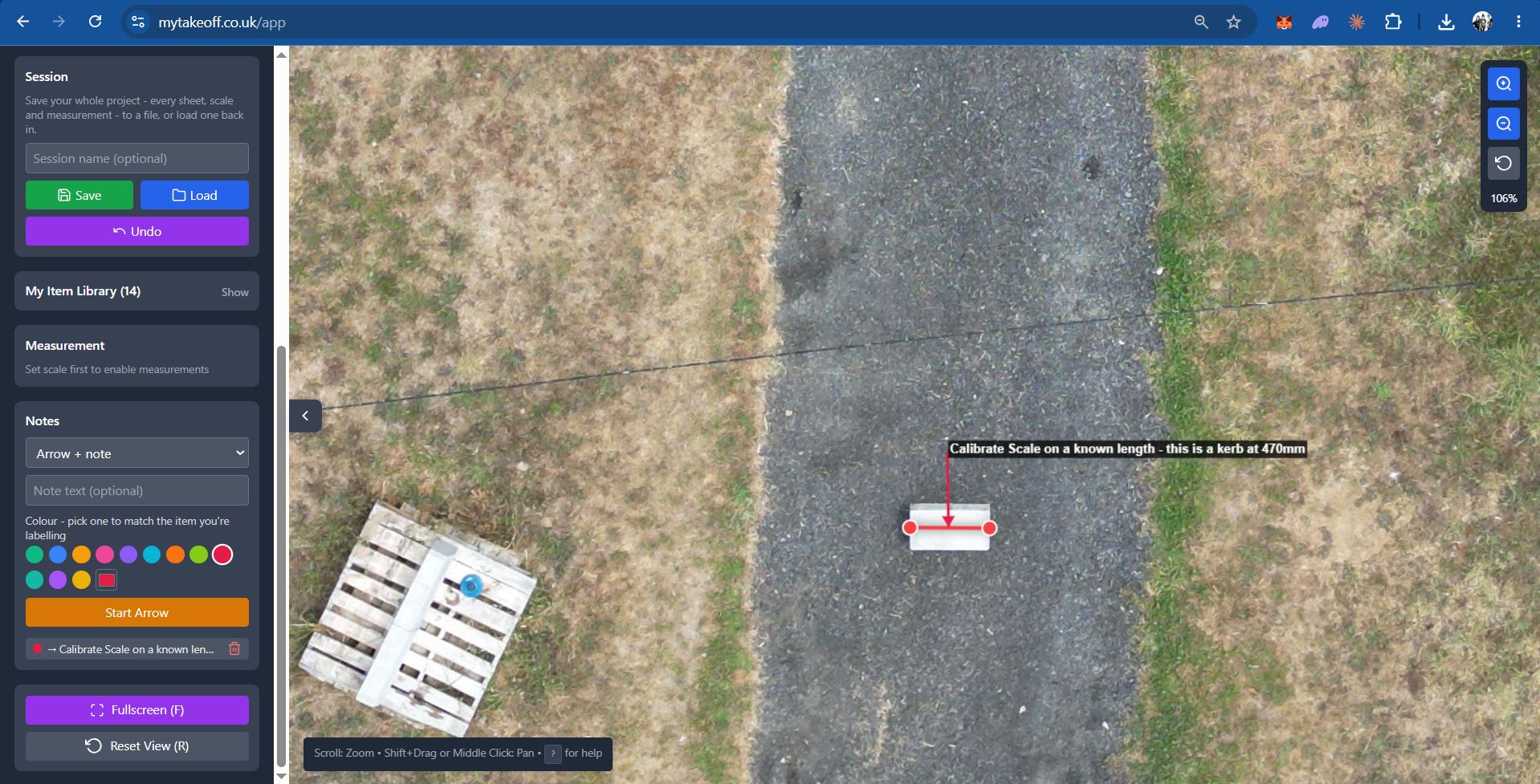
Calibrate the scale against something you already know the length of — here, a kerb stone.
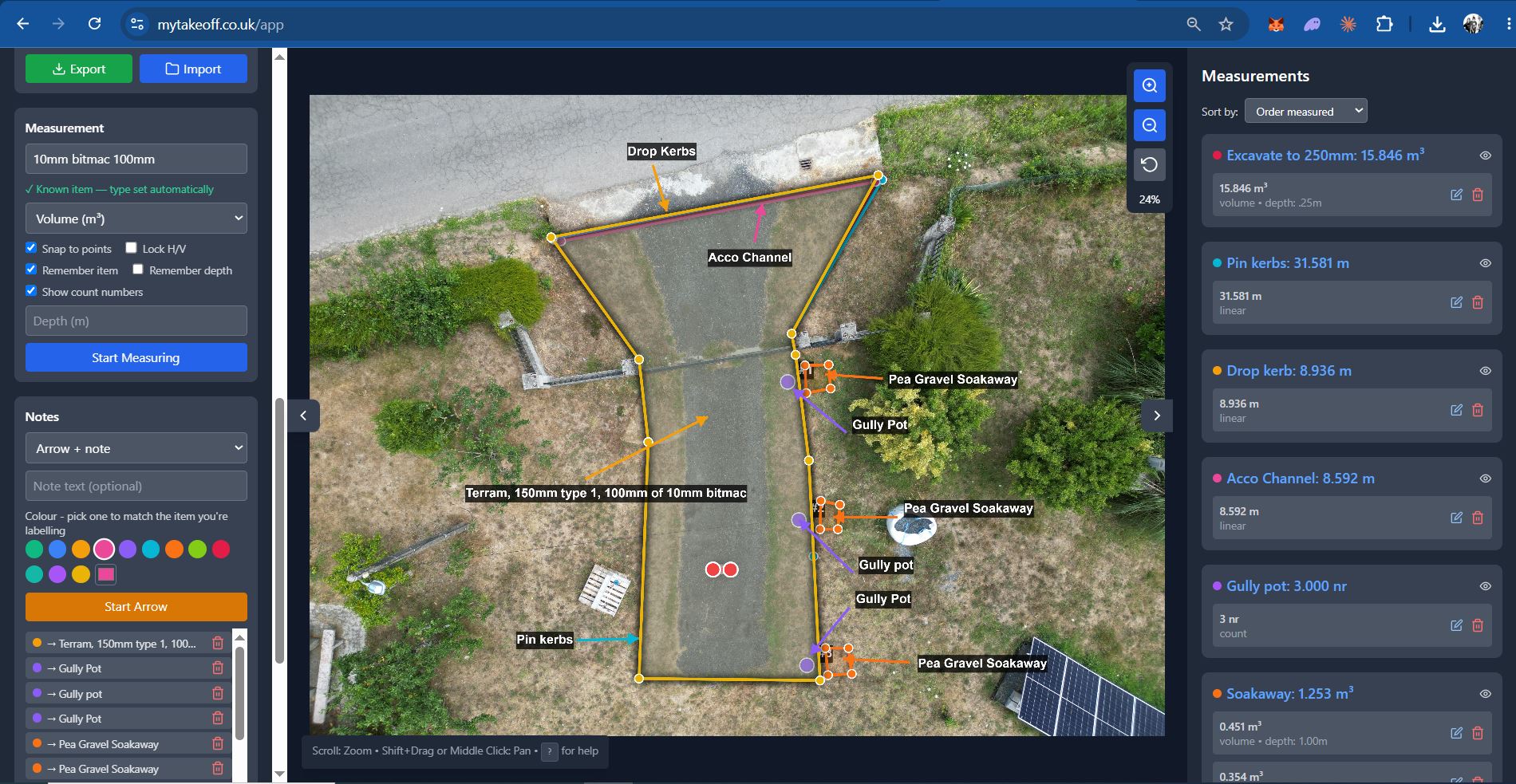
Every kerb run, drainage channel, gully and excavation volume measured and colour-coded on the same drawing.
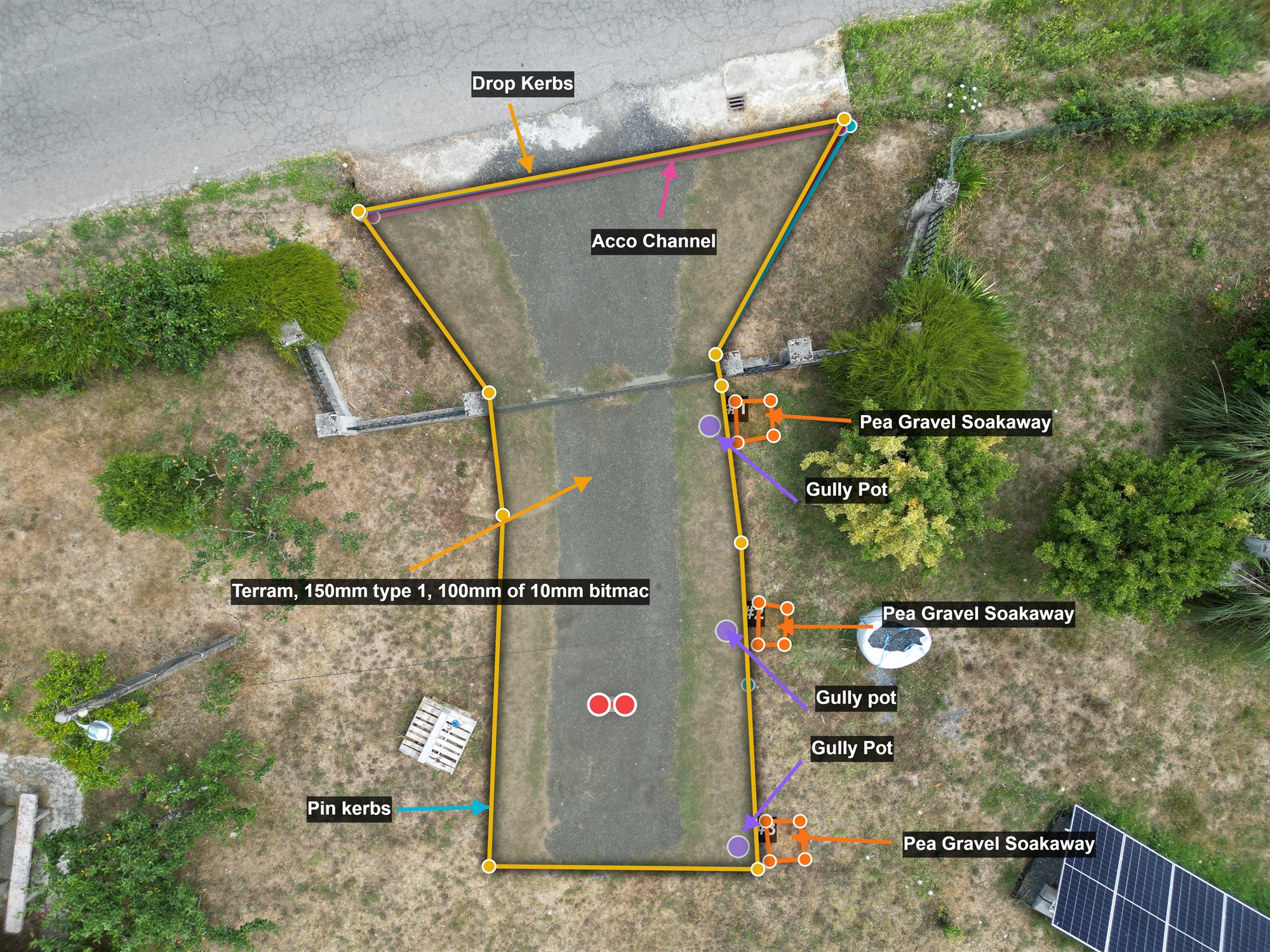
Export a marked-up copy of the drawing alongside a spreadsheet of every quantity — ready to send straight to your client with the quote, so they can see exactly what they're paying for.
Everything you need for a quick, accurate takeoff
Linear, area, volume & count
All four measurement types, on the same drawing, grouped by item.
Multi-sheet projects
Add extra pages with their own scale — every measurement still combines into one export.
Personal item library
Remembers your item names, units and colours, so repeat jobs measure faster.
Notes & annotations
Arrows and labels for site notes, kept separate from your quantities.
CSV & marked-up exports
A spreadsheet of every quantity, plus an annotated copy of the drawing your client can actually understand — send it alongside your quote so they see exactly what's been priced, not just a number.
100% private
Your drawing is measured entirely in your browser — it never touches a server, not during upload, not during measuring.
Built for anyone quoting from a drawing
If you measure a plan to price a job, MyTakeoff is built for you — including:
- Builders & general contractors
- Kitchen & bathroom fitters
- Groundworkers & landscapers
- Roofers
- Flooring contractors
- Extension & loft conversion specialists
- Construction & QS students, and apprentices
Simple pricing — free to measure, upgrade if you need more
Uploading, calibrating and measuring is free today, and a free account is enough to sync your item library across devices. Paid plans below add unlimited exports.
| Feature | Free | Paid plans |
|---|---|---|
| Upload, calibrate & measure drawings | ✓ | ✓ |
| Linear, area, volume & count measurements | ✓ | ✓ |
| Multi-sheet projects | ✓ | ✓ |
| Save & reload your whole project as a file | ✓ | ✓ |
| Item library - remembers your regular items & units | ✓ | ✓ |
| Colour-coded items on the drawing | ✓ | ✓ |
| Item library synced across devices | With free sign-in | ✓ |
| Export a CSV of every quantity | — | ✓ |
| Export a marked-up copy of the drawing | — | ✓ |
Upload, calibrate, measure, and view every result - no export. Sign in free to sync your item library across devices.
Open the ToolFull Pro features at a steep discount for verified students and apprentices.
Unlimited CSV + marked-up image exports for 24 hours from purchase - ideal for a single job.
Unlimited CSV and marked-up image exports, every month.
Same as Pro Monthly, about 4 months free against the monthly rate.
Frequently asked questions
Is MyTakeoff free?
Measuring is free, permanently, with no account needed — upload a drawing, calibrate the scale, and see every result at no cost. A free account is enough to sync your item library across devices; exporting a CSV or marked-up image needs a paid plan.
Is MyTakeoff a takeoff program I need to install?
No install - MyTakeoff runs entirely in your browser tab. Unlike a desktop take off program, there's nothing to download, license or keep updated; open the page and it's ready.
Will there be paid plans?
Yes - Pro plans (unlimited exports), a pay-as-you-go option, and a discounted student rate are all available now alongside free accounts — see the pricing above. Measuring itself stays free either way.
Do I need to create an account to use it?
No. There's no signup wall — open the tool and start measuring straight away.
Are my drawings uploaded to a server?
No. Everything — the drawing, the scale calibration, every measurement — is processed entirely in your browser. Nothing is ever sent anywhere.
What file types can I upload?
JPG, PNG and PDF drawings.
Can I measure more than one drawing in the same project?
Yes — add extra sheets, each with its own scale, and every measurement still appears together in one combined list and export.